

HD Video & Audio
Exceptional clarity & quality for virtual & hybrid classes.

Record Live Sessions
Record your online classes & lessons to allow children to learn at their own pace.

Digital White Onboarding
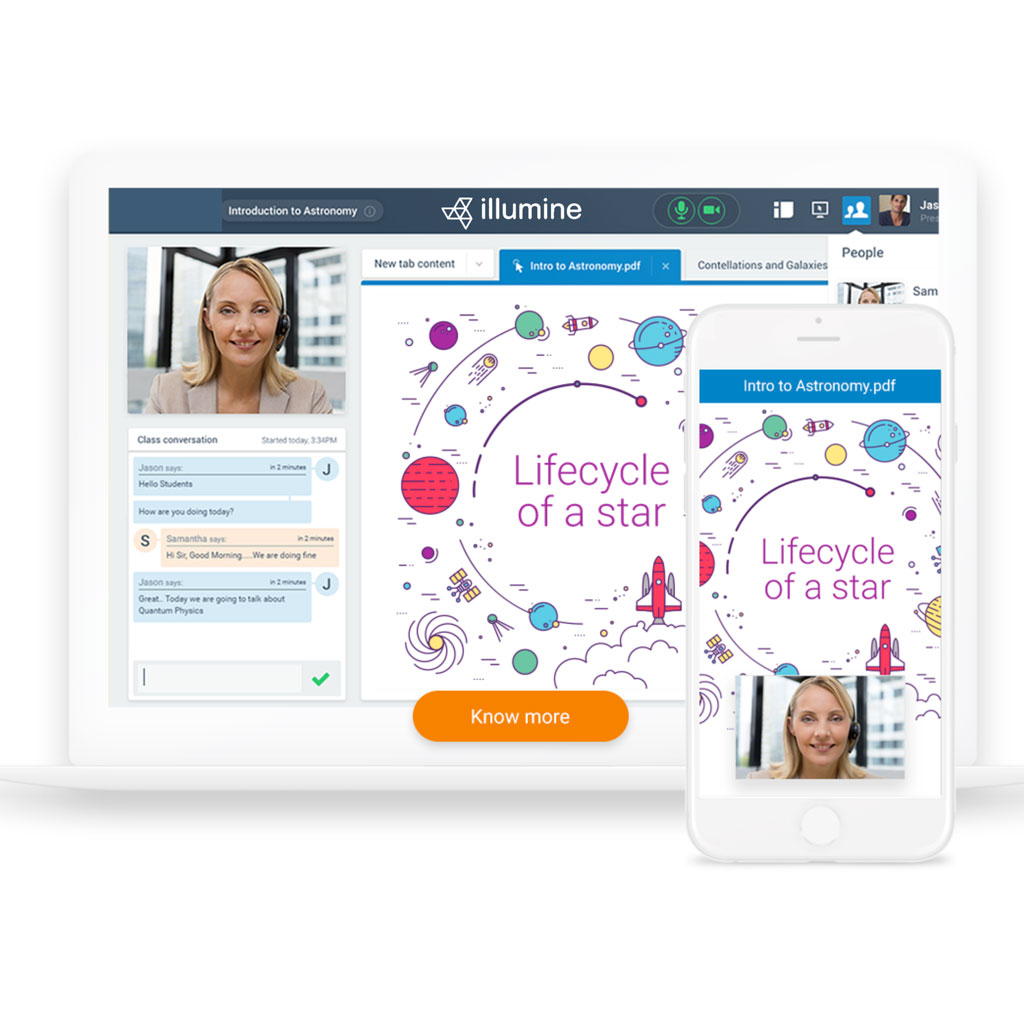
Use digital whiteboards to enhance visual aids. One-click content sharing, real-time communication & quizzes.

Integrates Seamlessly with LMS
Illumine virtual online class supports integrations with Moodle, Canvas, Desire2Learn, Sakai & Blackboard.

Accessibility For All Learners
Ensure that everyone can participate equitably with closed captioning & keyboard shortcuts.

Security & Compliance
Illumine enables security compliance & provides 256-bit encryption.
HD Video & Audio
Increase child participation & learning retention with virtual & hybrid classrooms & micro-learning.

Maximise School Resources
Utilise resources & hardware you already have to expand your capabilities & educational offerings.

Enrich Teaching & Learning
Expand traditional classrooms with video communications to meet the needs of today’s children.

Enhanced Collaboration Features
One-click content sharing, real-time co-annotation & digital whiteboard.

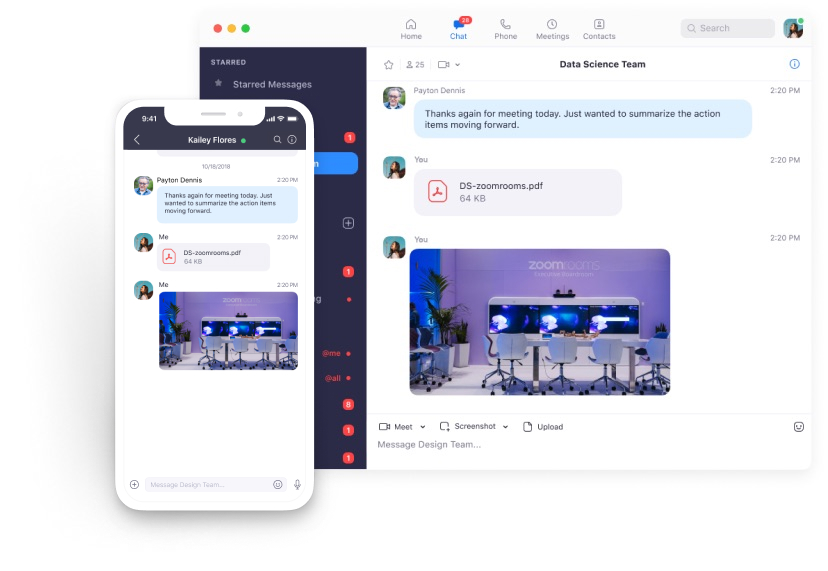

Unparalleled Usability
Enable quick adoption with meeting capabilities that make it easy to start, join & collaborate across any device for your online classes.

Join Anywhere, On Any Device
Illumine Meetings syncs with your calendar system & delivers streamlined online class & conferencing from desktop & mobile.
Recording & Transcripts
Record your meetings locally or to the cloud with searchable transcripts & let children learn at their own pace.
Frequently Asked Questions
Got a question? We've got answers. If you have other questions, email us.
What is Illumine's Virtual Classroom??
A virtual classroom allows your teachers to engage & interact with children online. Due to the social distancing norms created by COVID, we can overcome most of the barriers by using virtual online classes.
- Video conferencing ability – so teachers & children can see each other
- Audio conferencing – so you can hear each other
- Real-time text chat so children can ask questions. A transcript of these is emailed to the teacher later
- Interactive online whiteboard to aid in visualisation
- Library of learning materials – essential for providing more structured lessons
- Teacher tools & controls – just like in a physical classroom
How safe is the Virtual Classroom on Illumine?
How different is a Virtual Classroom to a web-conference?
An online classroom, like zoom & skype tends to have the important features of a video-conferencing tool but with additional features important for teachers. A virtual classroom is more than a video conferencing tool. The following features transform the teaching & learning experience in a virtual classroom:
- Interactive online whiteboard
- Library of learning materials
- Teacher tools & controls
- Ability to share lessons & accept submissions
- Manage & create quizzes
- Creating report card for children & securing everything in a cloud
What is an interactive digital whiteboard?
What makes a room a classroom? What is common to all classrooms globally?
The whiteboard.
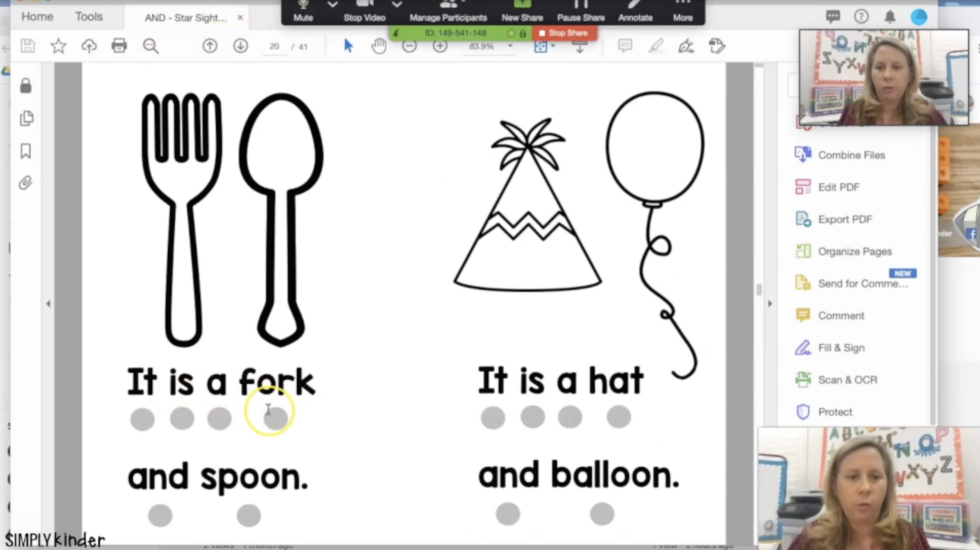
The online whiteboard is just as important, if not more important, to an online classroom. Why? It provides a shared focus point & enables teachers & children to collaborate on learning projects. Teachers can structure their lessons by embedding learning materials (pdf, video, audio files) directly into the whiteboard.
A whiteboard helps teachers & children get 'on the same page'. Rather than annotating (like writing on an interactive overlay), children can write/type/draw on the actual page & typically save for future review.
Embedding saved materials into the whiteboard enriches the learning experience, encourages child participation, makes it more efficient for teachers to switch between related concepts, engages more of the learner's senses & is just more fun. These are all important aspects of a ‘child-centered' learning approach, proven to be more effective than the old-school 'instructor-led' pedagogy.
What teacher tools are available on Illumine Virtual Class?
When a teacher is in a physical classroom they use physical location, proximity & non-verbal body language to control the class. What about in an online classroom though?
A good online classroom typically includes a number of important controls for the teacher:
Teacher tools – Text tool, draw tool, eraser, shapes, pen colour, zoom.
Specialist teacher tools – maths tools, instant dictionary, instant verb conjugation tables, save or record the class, or save learning materials for the student to later review.
Group class tools – raise hand tool, breakout rooms for larger groups, control of the student webcam – helpful if the child has a poor connection and needs to reduce internet bandwidth requirements, control of the student mic – Yes, that means you can finally ‘mute' your child when required.
Do I need to download multiple softwares?
Proud to be working with